Why OCR Matters
Turning Scanned Documents into Useful Information
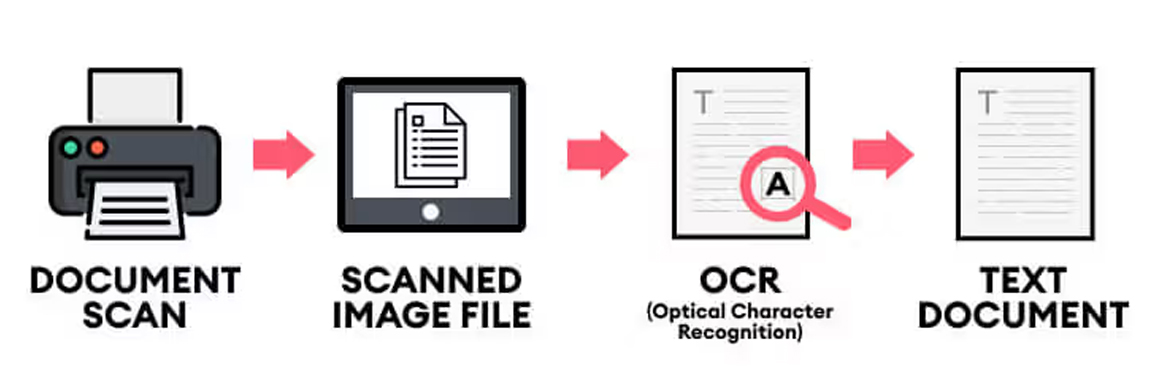
Scanning documents is not simply about creating a digital picture of a piece of paper. For businesses, one of the biggest advantages of modern document scanning is OCR - Optical Character Recognition, which turns scanned pages into searchable, editable and much more useful digital information.
Without OCR, a scanned invoice, contract or form is essentially just an image. You can view it, email it and store it, but finding a particular piece of information can be difficult. With OCR, the text within that document can be recognised by the scanner software, allowing users to search for words, copy text, create searchable PDFs and integrate documents into wider digital workflows.
Why is OCR so important?
For businesses dealing with large quantities of paperwork, OCR can save significant amounts of time. Instead of manually opening individual files to find a particular customer, invoice number or reference, searchable documents allow information to be located almost instantly.
OCR can also help automate document processing. Modern scanner software can recognise text, barcodes and other information, helping businesses name files automatically, separate batches of documents and route information to the appropriate folder, cloud service or business application.
This is particularly useful for organisations in areas such as finance, healthcare, legal services, education and administration, where large volumes of paperwork still need to be captured and retained.
Modern scanners make OCR easier
Today's document scanners combine fast scanning with intelligent software and image processing, making OCR a practical feature for everyday office scanning.
The ScanSnap iX2500 is a good example. With scanning speeds of up to 45 pages per minute, a 100-sheet automatic document feeder and USB, Wi-Fi and Bluetooth connectivity, it is designed to make scanning straightforward. Its smart text recognition and cloud integration also make it well suited to modern home offices and businesses.
For higher-volume environments, the Kodak Alaris S2070 offers scanning speeds of up to 70 pages per minute, an 80-sheet feeder and advanced image processing. Its OCR capabilities can transform scanned documents into editable and searchable text while features such as automatic rotation and de-skewing help improve document quality.
The Epson WorkForce DS-530III provides another strong option for everyday business scanning. With speeds of up to 40ppm/80ipm, single-pass duplex scanning and a 60-sheet ADF, it can process batches quickly. Its software includes OCR and barcode recognition, allowing users to create searchable PDFs and automate aspects of document organisation.
For businesses looking to share a scanner across a network, the Canon DR-S250N is particularly interesting. It scans at up to 50ppm, has a 60-sheet ADF and includes LAN connectivity. Canon's CaptureOnTouch software provides OCR and barcode recognition, while the scanner can also support direct network scanning without requiring a traditional driver-based workflow.
Choosing the right scanner
OCR is only one part of the equation. When choosing a document scanner, businesses should also consider scanning speed, daily duty cycle, feeder capacity, connectivity, software compatibility and the types of documents being scanned.
The right combination can turn a scanner from a simple peripheral into an important part of a company's document management workflow.
Whether you're scanning a handful of documents a day or processing thousands of pages, modern scanners can help reduce manual data entry, improve document accessibility and make it much easier to find information when you need it.
Looking for a document scanner with OCR?
The Scanner Shop offers a wide range of scanners from leading manufacturers, with options for home offices, small businesses and high-volume document capture.